
 Columns
Manage table column widths in Adobe InDesign quickly and directly, on the live table – with reusable layouts for the tables that come next.
What it does
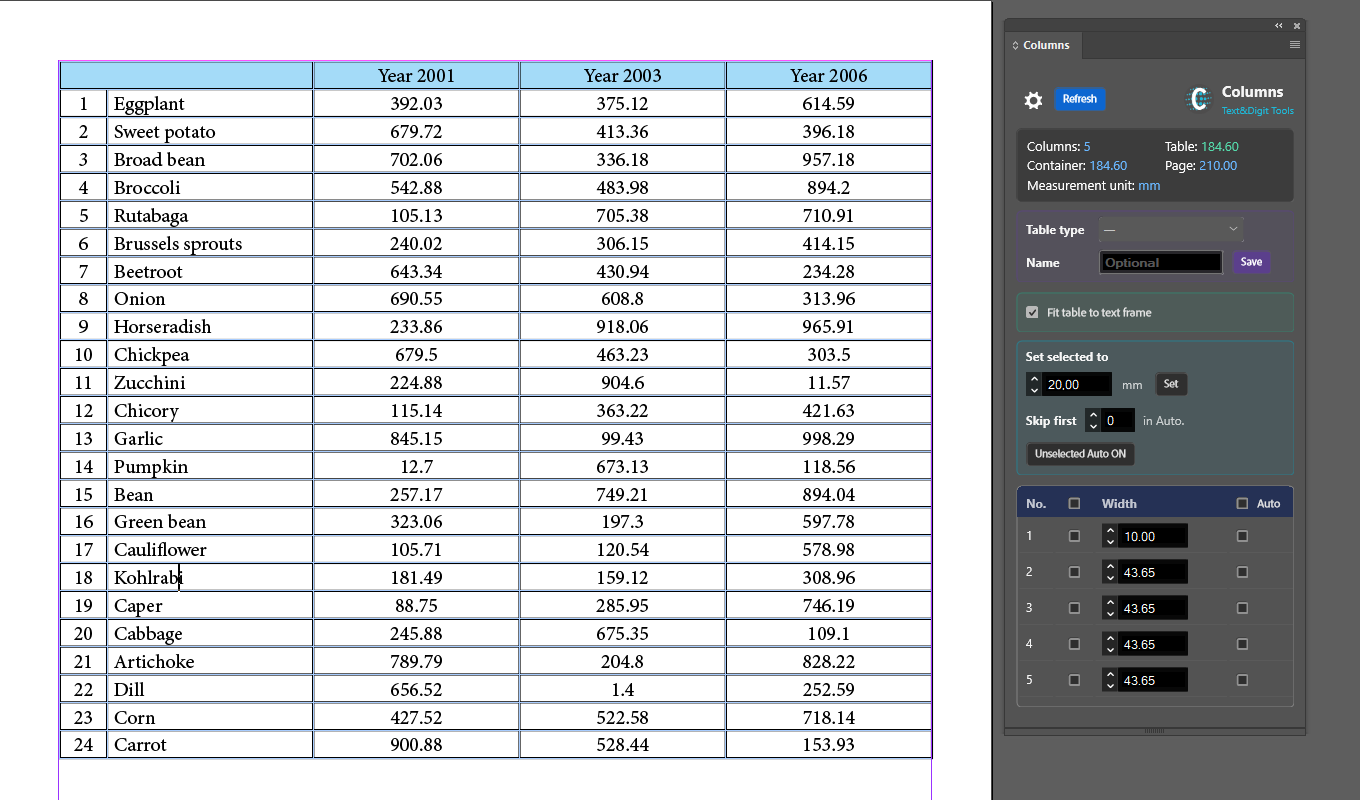
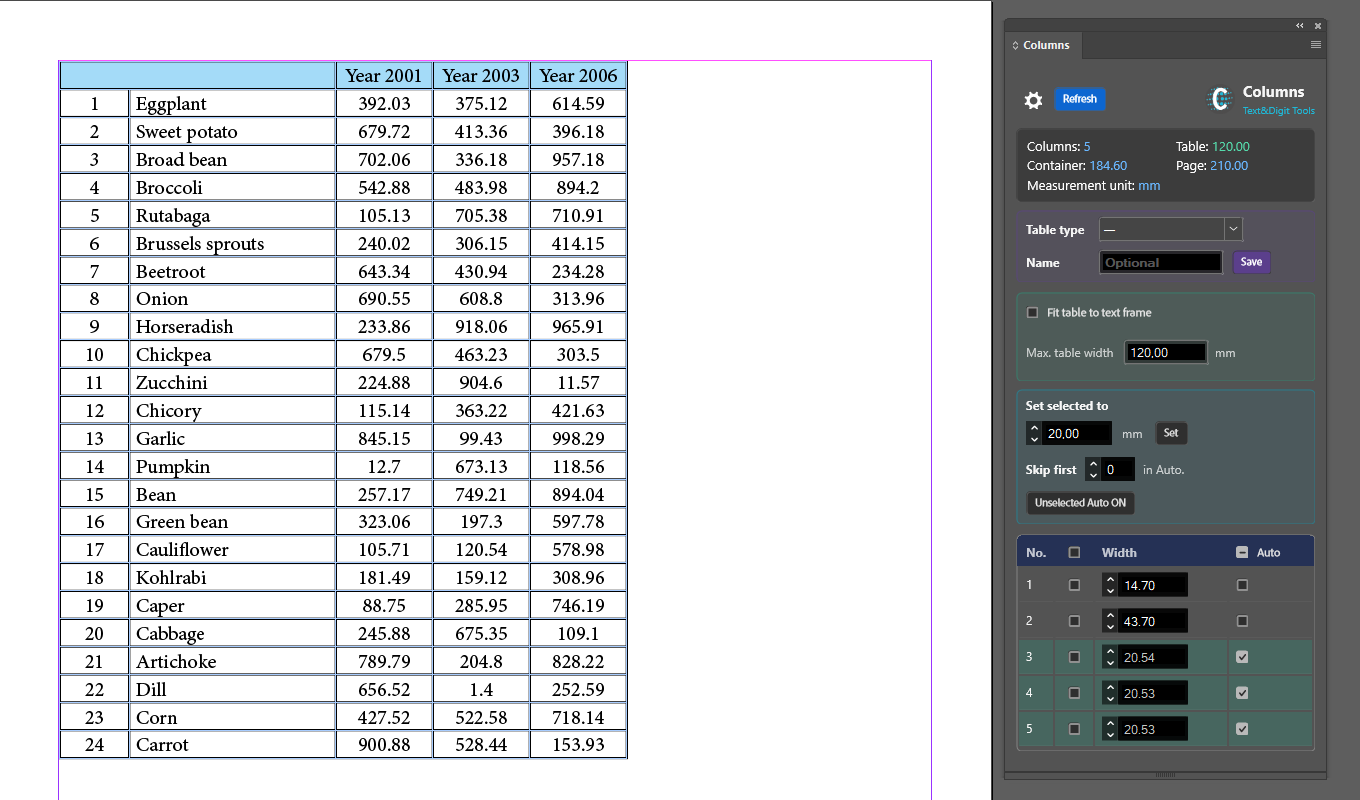
Columns lets you manage table column widths quickly and easily, on the live table. Give the same width to several columns at once. Have it size columns automatically so the table fits its text frame, or a maximum you set yourself. Save table types, so a layout you have already worked out can be applied to the next table of similar structure in a single step.
What makes it different
Auto columns that actually add up
Manual columns keep their values and the remaining width is divided among the Auto ones. Widths can be set to a precision of 0.01 mm or pt.
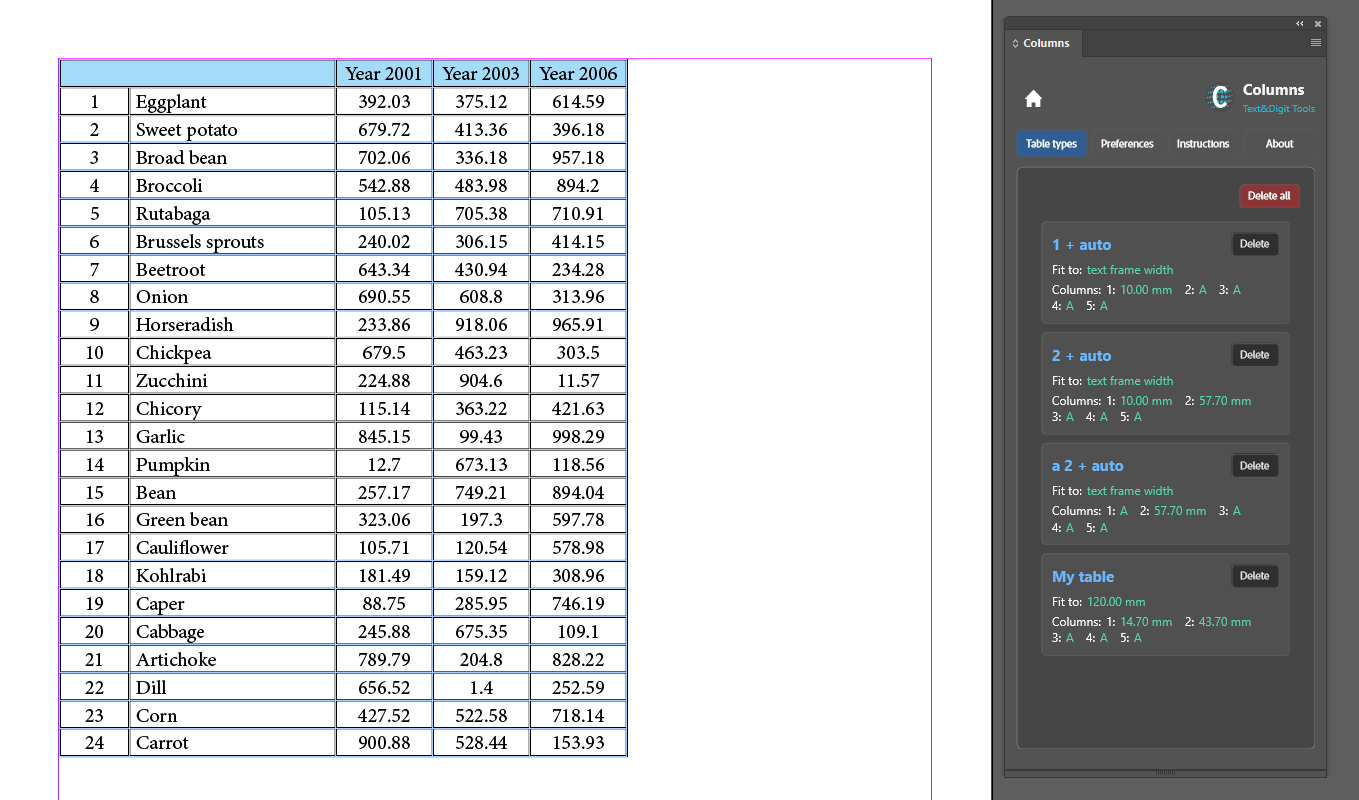
Table types you can reuse
Save a set of widths, Auto settings and a limit as a named table type, stored in the document. Select it on the next table and the settings load straight in. If that table has fewer columns, the opening part of the definition is used; if it has more, the extra columns are set to Auto.
A status bar that means something
The information bar shows the column count, table width, container width, page width and active unit – and marks the table width in colour: green when it matches the target exactly, blue when it is narrower, orange when it passes the container or your own limit, red when it passes the page width.
Millimetres or points, your choice
Work in whichever unit you think in, independently of the document's own setting. Switching units converts the display without altering a single physical dimension. Fields accept a comma or a dot, with or without a unit – 20.5, 20,5 mm, 24pt all parse, and an explicit unit wins.
Batch operations for wide tables
Set one width across every ticked column at once, turn Auto on for everything you did not tick, or skip the first few columns so headers keep their widths while the rest divide the remaining space.
English and Polish
Columns speaks your language. The interface, the built-in instructions and every message are available in both English and Polish, and you can switch between them in Preferences at any time – whatever language InDesign itself is running in.
Everything stays on your machine
Columns requests no permissions at all – no network, no file system, no clipboard. It cannot make network requests, so nothing about your document, your work or your usage can leave your computer. There is nothing for us to receive, store or share.
Price
US$7.49 – a one-time purchase. No subscription, no renewal, no expiry, and every future version of Columns is included at no extra charge.
Columns is sold through the Adobe marketplace. Any tax is calculated there at checkout, and the final amount is the one Adobe shows you.
Requirements
- Adobe InDesign 20.3 or later
- Windows or macOS
- Current version: 1.0.0
Questions
Write to support@textanddigit.com, or see how to get support.