
 Table Digits
Line up the numbers in a table and make them read consistently – cleaned, grouped and aligned on their decimal separator, in a single pass.
What it does
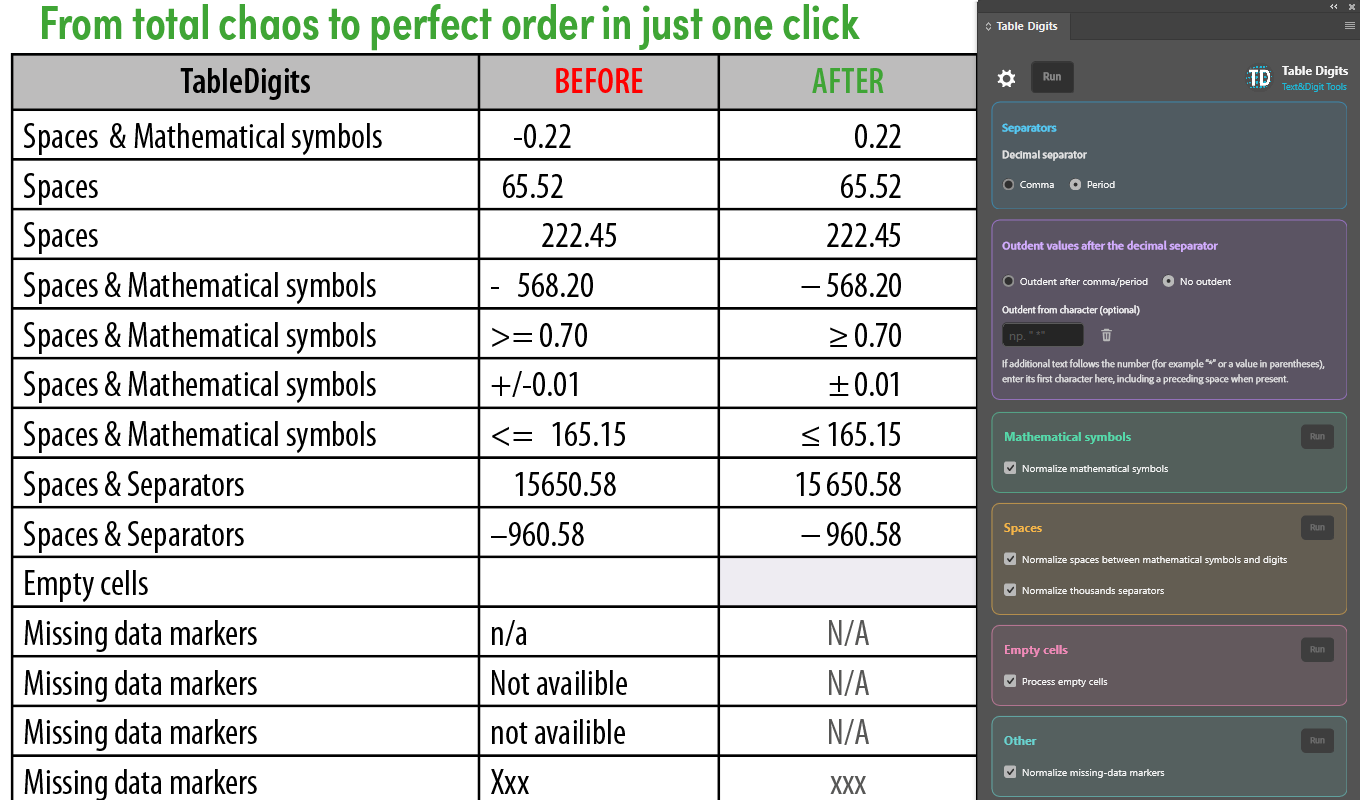
Select the cells, choose whether the column aligns on a comma or a period, and run it. The numbers are cleaned up, grouped, and aligned on their decimal separator – and everything that happened is reported step by step when it finishes.
30-day free trial, then US$2.99 a month
When the 30 days end, the trial converts to a paid subscription automatically. You can cancel at any time, before or after that point, through the Adobe marketplace – the same place the subscription was started.
What makes it different
Alignment measured from the document, not guessed
Alignment is calculated for each column separately, from the cells you actually selected. The plugin measures real character positions in the text, finds the longest numeric part, and accounts for the cell's width and its left inset before placing a single decimal tab stop for that column. Columns where whole numbers and decimals sit side by side are handled separately, with the local type size taken into account.
The numbers are tidied before they are aligned
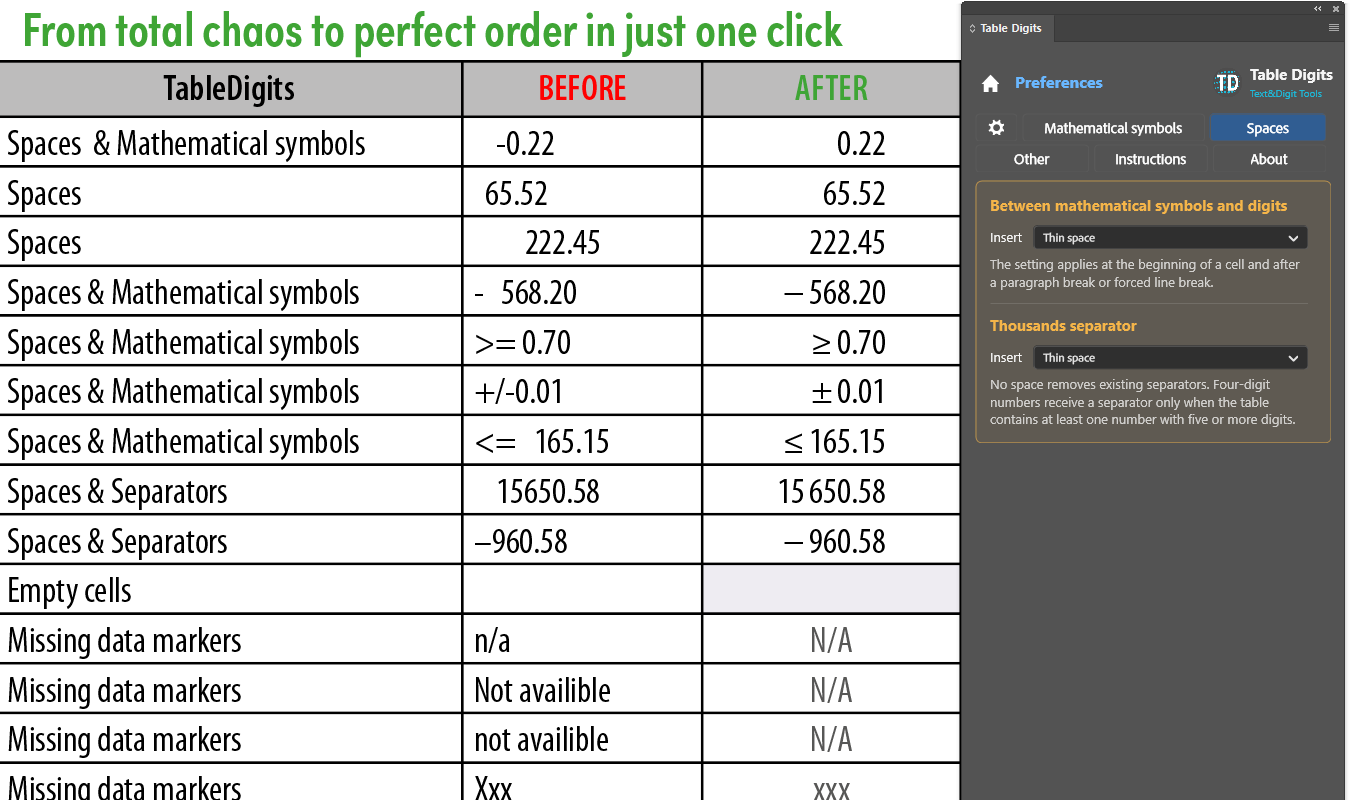
Leading and trailing whitespace goes first. Then, if you want it, the symbols in front of the numbers are normalised: plus–minus, minus, greater-or-equal and less-or-equal, each recognised in the several forms real data arrives in, and each replaced with a target character you choose – picked from a list or entered directly, including as a Unicode code point. The gap between a leading symbol and the first digit can be set to a specific kind of space, or closed up entirely.
Thousands separators that know where the number ends
Digits are grouped in threes using a narrow no-break space or a comma, in line with the conventions for writing numbers, and existing separators can be replaced so a table edited by several people ends up consistent. Grouping stops at the decimal separator – 1,1973 stays 1,1973 and does not become 1,1 973. The whole table is checked before grouping is applied, so four-digit numbers are treated consistently with longer ones even when your selection contains only some of them.
Missing data treated as data
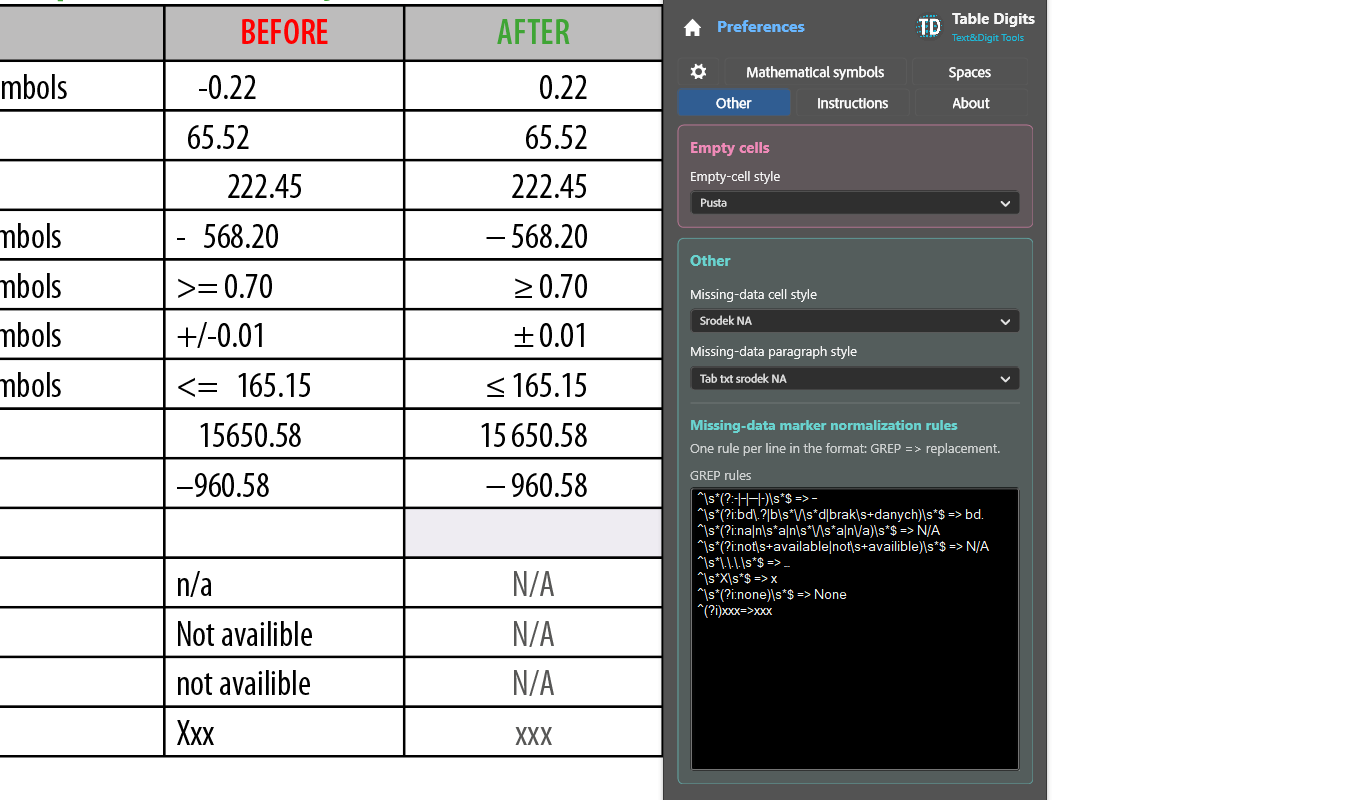
Entries like "n/a", "N/A", "no data", "xxx", "–" or "-" are matched with your own GREP rules and rewritten to whatever canonical form you prefer. Both those cells and genuinely empty cells can then take cell styles of their own, applied across the whole table.
One run, one undo, and a report
The entire operation is a single undo step. When it finishes, each stage is reported as done, skipped or failed, so you can see what the plugin actually changed. Find/Change settings are reset afterwards, so the plugin's own GREP work never leaks into yours.
21 languages
The interface is available in 21 languages, including English and Polish, and follows InDesign's own locale unless you choose otherwise. Display scaling of 80%, 90% and 100% keeps the panel usable on smaller screens.
Your work stays yours
Table Digits writes ordinary formatting – tab stops, separators, spacing and text – directly into your document. It stores nothing in your files, and it has no network access of any kind: its manifest declares no permissions, so it cannot send anything anywhere.
There is no licence check inside the plugin either. Your entitlement is held by Adobe against your Adobe account, entirely outside the software.
What it expects
Cells in the columns you are aligning should be left-aligned, because the alignment is done with a decimal tab and will not sit correctly under another paragraph alignment.
Merged cells can produce a column structure that is not obvious on screen and may prevent a column being processed correctly. Tidy the table first, or run columns individually.
You choose which cells to process and which operations run, and any GREP rules you add are your own.
Requirements
- Adobe InDesign 20.3 or later
- Windows or macOS
- Current version: 1.0.0
Questions
Write to support@textanddigit.com, or see how to get support.